

What changed
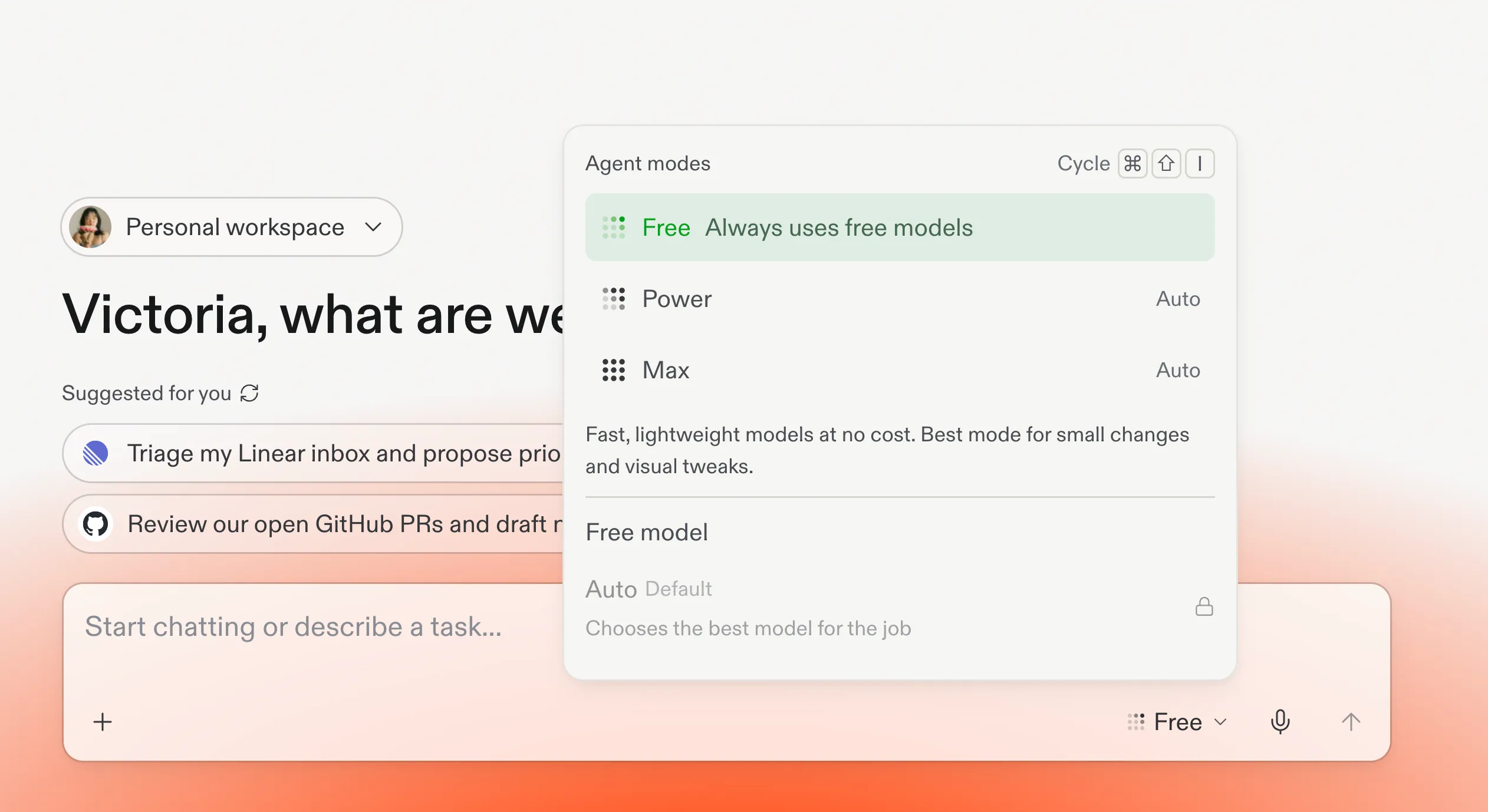
Replit launched Free Mode, a new way to use its AI agent for chat, planning, and everyday questions without spending any of your monthly usage credits. Replit runs on a credit system: every plan comes with a monthly allowance, and building or editing an app normally eats into it. Free Mode carves out a category of lighter tasks, like brainstorming an idea or asking the agent to explain something, and stops charging for those specifically.
The mode runs on OpenAI’s GPT-5.6 Luna, a lower-cost model in OpenAI’s lineup. Replit’s co-founder and CEO Amjad Masad said the timing was tied to OpenAI’s own economics: “Thanks to OpenAI and the price cuts that you made recently, you made it possible for us to offer it to millions of users in Free Mode,” he told OpenAI’s own announcement post.
Despite the name, Free Mode is not open to everyone. It ships only to Core ($20 a month) and Pro ($100 a month) subscribers. Replit’s post is direct about this: “Core and Pro users can use Free Mode until they reach their usage limits, which reset every 5 hours, or continue building in Power or Max Modes.” The announced access is for paid Core and Pro plans. It removes credit charges for eligible tasks within those subscriptions.
What it actually covers
Free Mode handles chat, ideation, and answering questions about your project, plus lighter everyday tasks and feedback. For more complex work, Replit may suggest switching to Power or Max Mode, which consume credits. Check the active mode before accepting that switch. Use Free Mode for eligible everyday work, with paid modes available when the task needs them.
Replit says Core users can create up to 30 times more than before, with up to 30 hours of chat per month. Usage limits reset every five hours, and Pro subscribers get a higher ceiling than Core. Treat “30x” as a relative claim, and use your account’s displayed allowance when planning work.
Who should care
This matters if you’re already paying for Replit Core or Pro and tend to burn credits on back-and-forth planning before you start building. Free Mode effectively gives that planning phase back to you. It matters less if you’re on the free Starter plan hoping this opens a new no-cost path into Replit, since it doesn’t, or if you rarely use chat and jump straight into building.
What builders should do next
Test whether Free Mode actually changes your credit spend before assuming it will. Pick a project idea you’d normally start by chatting through with the agent. Compare planning in Free Mode before a paid build with going straight to a comparable build task.
Compare two things: the total credits spent to reach a working first version, and how many follow-up corrections you needed afterward because the first build missed the mark. Use total credit spend and correction effort to judge whether the planning step helps your workflow.
End of article