

GitHub’s Copilot preview turns Slack conversations about bugs and features into agent coding tasks.
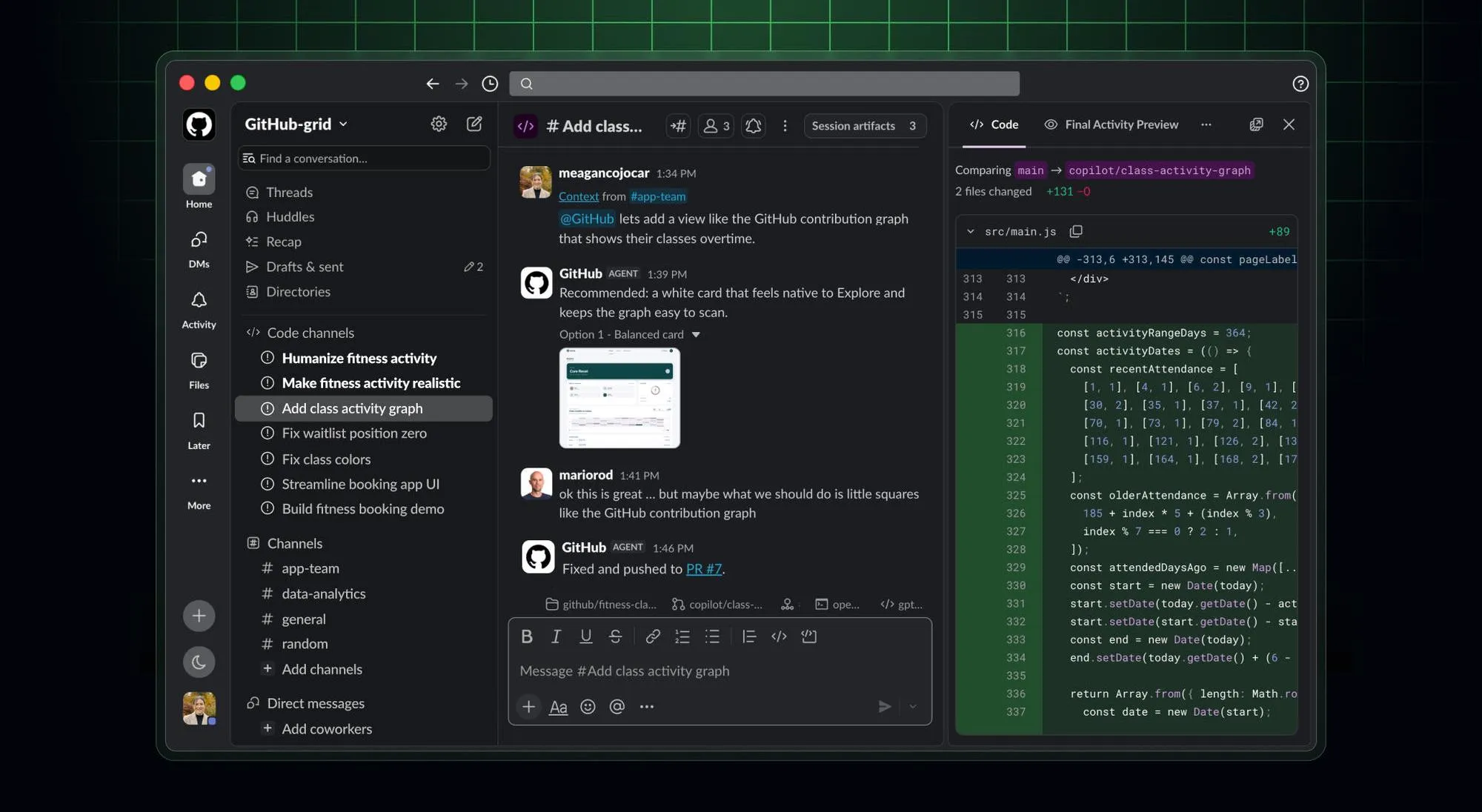
GitHub announced that the agentic parts of GitHub Copilot, the same ones behind Copilot CLI (the version you run by typing commands instead of clicking through an app) and its standalone app, are now available inside Slack in public preview. Mention @GitHub in a direct message, a channel, or a thread, and Copilot starts an agent session using that conversation as its briefing.
What actually changed
Once you bring Copilot into a Slack conversation, it can do more than answer questions. According to GitHub, it can:
- Answer questions about your code and recent GitHub activity.
- Triage bug reports, update existing issues, or file and label new ones.
- Investigate failures, implement changes, and test them in a cloud sandbox, an isolated execution environment.
- Open a pull request, a proposed code change, and link back to the starting Slack conversation. Your repository rules determine the required review before merging.
The session keeps running while you’re in a meeting or off doing something else, and you can check in on it, redirect it, or pick up the resulting pull request later from your terminal, the Copilot app, or your code editor.
GitHub also says it’s a launch partner for something Slack calls Slack Code, a new kind of channel built specifically for agent work. When Copilot needs more room, it can spin up a dedicated code channel off the original thread so your team can watch the plan and the changes take shape without cluttering the conversation where the request started. Anyone can join that channel from the thread that spawned it.
Who can actually turn this on, and who can set it off
This isn’t available to everyone yet. GitHub says it’s limited to Copilot Business and Enterprise plans, and it needs setup before anyone can use it: an organization administrator has to turn on the Copilot cloud agent policy, install or upgrade the GitHub app for Slack, and each person who wants to use it has to link their own GitHub account.
Once organizational setup is complete, users link their GitHub accounts and mention @GitHub to start a session. GitHub says Copilot’s actions stay “bounded by existing GitHub permissions and controls,” so confirm the repository access and approval gates for a Slack-started session before enabling it; do not assume they match your editor session.
That’s the part worth pausing on if your team runs on Business or Enterprise Copilot. Check both who can start or redirect sessions and which repository actions those sessions can take. Merge approval is a separate control.
The one setting to check before your team starts using this
GitHub says repository administrators can require an additional approval step for any pull request opened under the Copilot app’s own identity, on top of your normal review process, before that pull request is allowed to merge. That’s the setting that keeps a person in the loop even when the request that kicked off the work came from a casual Slack message rather than someone deliberately sitting down to write code.
If you administer a repository on a Business or Enterprise Copilot plan, check whether that approval requirement is already turned on before you tell your team to start mentioning @GitHub in Slack. If it isn’t, turn it on. Using Copilot in Slack also draws from the same usage allowance and any spending caps your org already set for Copilot’s cloud agents, so if your org limits how much cloud agent time people can use, this adds another door into that same limit.
What builders should do next
Try it on something low-stakes first. Pick a real but small bug report already sitting in a Slack thread, mention @GitHub, and let it investigate and propose a fix. Check the repository and change scope, the link to the original conversation, and whether required approval blocks merging. Compare these with a request made directly in the Copilot app. If any of those checks fail, that’s the gap to close before your wider team relies on this for real work.
End of article